V-Coptr Falcon: 4K Bi-Copter Drone for Cinematic Flight
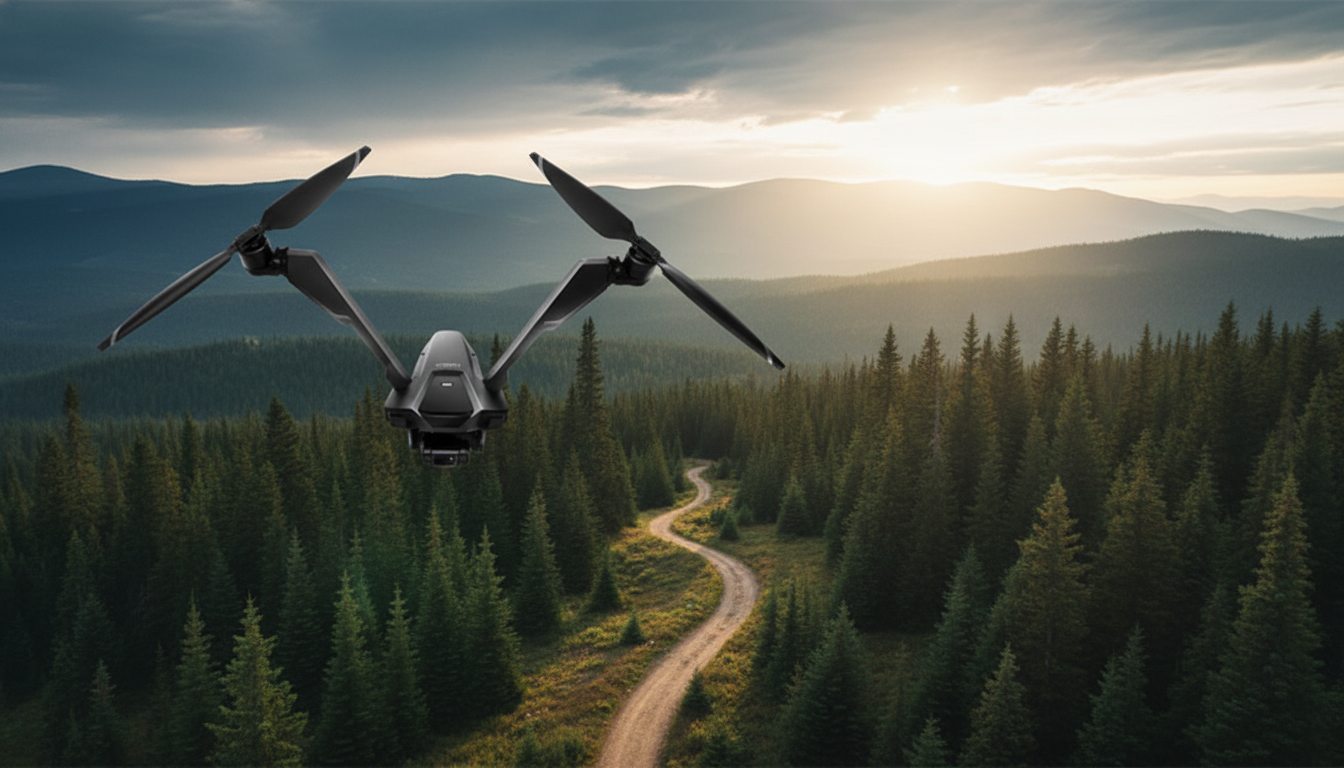
V-Coptr Falcon at a glance
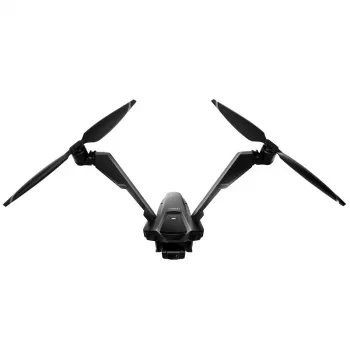
The V-Coptr Falcon V-Shaped Bi-Copter with 4K Camera and 3-Axis Gimbal takes a different route than the quadcopters most pilots start with. Instead of four rotors sharing the workload, it uses a V-shaped bi-copter layout designed to deliver a distinctive flight profile—especially in forward motion and during cinematic turns. Pair that airframe with a stabilized 4K camera on a 3-axis gimbal, and you get a setup aimed at creators who care about clean horizons, controlled movement, and footage that holds up on larger screens.
It’s a great fit for pilots who enjoy learning something new and don’t mind doing a few practice flights to dial in smoother pans, arcs, and reveals.
Why a V-shaped bi-copter can change the experience
Most consumer drones are quadcopters because four rotors can feel instantly steady: they’re naturally good at “locked-in” hovering and forgiving corrections. A bi-copter, especially in a V layout, can feel more aircraft-like depending on how it’s tuned and how you fly it. With fewer rotors doing the lifting, the control system relies on different strategies for managing yaw, pitch, and rapid direction changes.
In practical terms, pilots often notice three things:
- A different response in turns and yaw: Smooth, cinematic arcs may take a few flights to get into muscle memory, especially if you’re used to quadcopter orbits that feel very “on rails.”
- A distinct sound and wind behavior: Fewer main rotors can create a different sound signature. In breezy conditions, the feel can differ from a similarly sized quad because the craft is balancing lift and attitude with a different rotor strategy.
- Forward-flight personality: The V layout can favor efficient forward movement and controlled framing when flown with deliberate, gentle inputs—ideal for establishing shots and travel sequences.
Bi-copter vs quadcopter: practical differences to consider
| Feature | V-shaped bi-copter (Falcon style) | Typical quadcopter |
|---|---|---|
| Rotor count | 2 primary rotors | 4 rotors |
| Flight feel | Distinct handling; can feel more aircraft-like depending on settings | Often more immediately “locked-in” for beginners |
| Maintenance points | Fewer motors, but specialized mechanism/control complexity may vary by model | More motors/props to inspect, commonly available parts |
| Video movement style | Potentially smooth forward motion; learn to manage turns for cinematic arcs | Very stable hovers; predictable lateral slides |
| Learning curve | Moderate for pilots used to quads | Often lowest for entry-level flying |
Camera and 3-axis gimbal: what to look for in real footage
“4K” is a great starting point, but real-world image quality comes from the whole pipeline: bitrate, lens sharpness, processing, and exposure control. The advantage of 4K becomes most obvious when you crop in, stabilize further in post, or deliver footage on a large TV or monitor where fine detail and edge clarity matter.
The Falcon’s 3-axis gimbal is the other half of the cinematic equation. Flight stabilization keeps the aircraft from drifting; the gimbal isolates the camera from small vibrations and quick attitude changes. In footage, that typically shows up as:
- Cleaner horizons: Roll stabilization helps keep the horizon level when the drone corrects itself in wind or during acceleration.
- Reduced micro-jitters: A true gimbal can smooth out tiny bumps that digital stabilization alone may not fully hide.
- More usable motion: Slow push-ins, gentle rises, and steady forward passes tend to look more “finished,” even before editing.
For best results, prioritize controlled movement over aggressive stick inputs. Slow acceleration, gradual braking, and measured yaw create natural parallax—especially for landscape flyovers and real-estate exteriors. If your setup supports it, ND filters can help keep shutter speed in a more cinematic range in bright daylight, preserving natural motion blur.
Best use cases for the Falcon’s setup
- Landscape flyovers: Smooth forward movement with stable framing for wide establishing shots over coastlines, mountains, and open fields.
- Travel filmmaking: Capture compact aerial sequences—arrivals, scenic reveals, road transitions—while keeping footage steady enough to intercut with handheld or action-cam clips.
- Real-estate exteriors: Controlled reveals (rise from behind a tree line, glide toward a facade) and careful orbit-style moves when flown smoothly.
- Action at a distance: Frame wider for safety, then crop from 4K in editing when you need a tighter look without flying too close.
- Learning-focused pilots: Ideal for anyone who enjoys mastering a platform that feels different from standard quadcopters.
Pre-flight checklist for safer, smoother sessions
Because a camera drone is both an aircraft and a filming tool, a short checklist improves safety and footage quality at the same time.
For U.S. operators, follow current recreational rules and registration requirements through the FAA: FAA DroneZone: Recreational Flying Rules and FAA: Register Your Drone.
Ownership considerations: batteries, storage, and long-term care
Price, value, and who it fits best
Optional add-ons for travel-minded pilots
- The Smart Traveler’s Guide to Global Etiquette (Digital Download) for quick cultural and location-friendly travel planning.
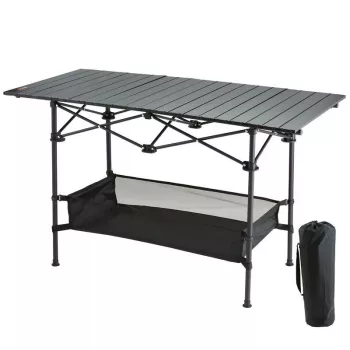
- Portable Folding Camping Table as a simple field surface for organizing batteries, filters, and tools away from sand or dirt.
FAQ
Is a bi-copter harder to fly than a quadcopter?
It can feel different rather than strictly harder. Many pilots adapt quickly, but getting consistently smooth cinematic turns and yaw moves may take more practice than with a typical quadcopter.
Does a 3-axis gimbal really matter if the drone already stabilizes itself?
Yes. Flight stabilization helps the drone hold position and attitude, while the gimbal isolates the camera from small vibrations and quick corrections, keeping the horizon steadier and reducing visible jitter in footage.
What should be checked before filming in 4K to avoid shaky or noisy video?
Check wind conditions, prop condition, and make sure any gimbal lock is removed. Then set exposure intentionally (and use ND filters if supported) and fly with slow, smooth stick inputs to avoid abrupt motion.












Leave a comment