400ft Laser Measure ±1/16 Accuracy: Faster Layout Checks
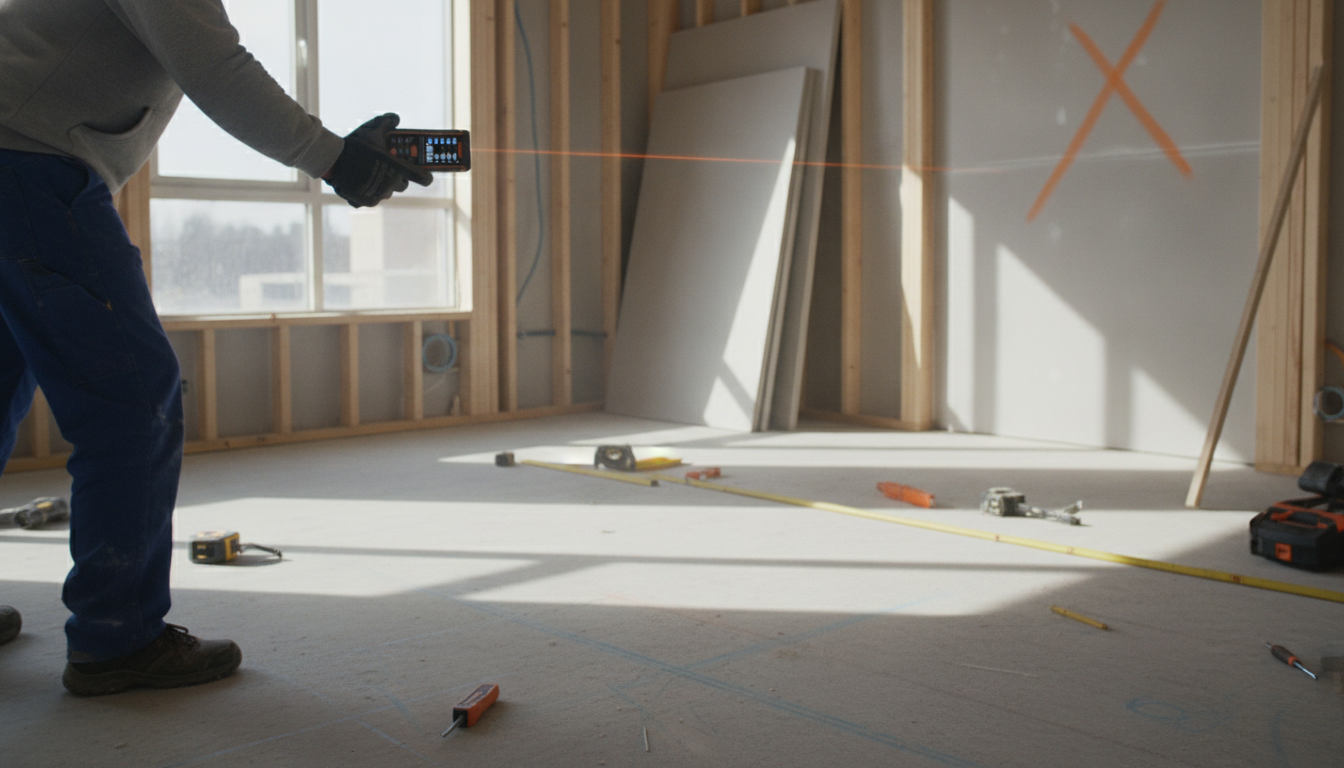
Laser Measure 400ft with ±1/16″ Accuracy: Fast, Reliable Distance Checks Indoors and Out
A 400-foot laser measure with ±1/16″ accuracy helps speed up layout, estimating, and verification work while reducing tape-measure errors. That combination is especially useful when you’re working solo, measuring tall or awkward spaces, or checking longer spans where a tape can sag, kink, or require a second set of hands. Below is a practical guide to what the numbers really mean, where this level of precision matters most, and the habits that keep readings consistent across job sites and home projects.
What ±1/16″ Accuracy and 400ft Range Mean in Practice
Accuracy describes how close the displayed distance is to the true distance under typical conditions. A ±1/16″ rating is a common benchmark for precise layout and many finish tasks, especially when you’re measuring off stable surfaces and using consistent reference points.
Range (up to 400ft) is the maximum measurable distance under favorable conditions. Indoors, a laser often performs close to its rated range because lighting is controlled and targets are easier to see. Outdoors, bright sunlight can reduce practical range, and dark or highly reflective surfaces can make it harder for the device to read reliably.
For best results, aim at matte, light-colored surfaces. When you’re stretching distance outdoors or measuring to dark siding, foliage, or glossy finishes, a target plate (or even a light matte board) can make a noticeable difference in repeatability.
For critical tasks like cabinet lines, door openings, and trim layouts, confirm with a second measurement and measure from stable reference points (for example, from the same corner or edge each time). This helps catch small alignment issues—like a slightly angled shot—that can create bigger errors at longer distances.
Where a High-Accuracy Laser Measure Saves Time
Laser measures shine when speed and repeatability matter more than wrestling a tape. Common time-savers include:
- Room dimensions for remodeling takeoffs: Capture length and width quickly for flooring, paint, and material estimates—no helper needed to hold a hook or read the tape.
- Framing and rough openings: Fast checks for wall lengths, opening widths, and diagonal verification. If your device includes Pythagorean/indirect modes, it can help with hard-to-reach heights and diagonals.
- Stairwells, vaulted ceilings, and tall walls: Reduce ladder time and avoid tape sag by taking stable shots from the floor.
- Outdoor runs: Measure for fencing, landscaping, and property features where long spans are common and tape handling becomes inefficient.
Features That Matter Most When Buying
Two laser measures with the same range can feel very different in daily use. Focus on features that prevent mistakes and reduce rework:
- Clear unit switching: Fast toggles between ft/in and metric are helpful with mixed plans and tool sets. For a quick refresher on metric standards and unit conventions, see NIST: International System of Units (SI).
- Backlit display and large digits: Basements, garages, and evening work are easier when the readout is unmistakable.
- Reference point options (front/back): Switching the measurement origin reduces mental math when measuring from a wall, corner, or the edge of a board.
- Durability for real sites: Rubber overmold, dust resistance, and a secure battery door help when drops, grit, and tool-bag life are unavoidable.
- Data tools: Memory/recall for repeating dimensions, plus area/volume functions to speed up estimating without pulling out a calculator.
Quick Checklist for Comparing Laser Measures
| Need | Why it matters | What to look for |
|---|---|---|
| Finish layout and built-ins | Tighter tolerances reduce rework | ±1/16″ class accuracy, stable reference modes |
| Long indoor shots | Fewer repositioning steps | 300–400ft range, bright readable display |
| Outdoor measuring | Sunlight and distance reduce readability | Target plate compatibility, higher visibility screen |
| Fast estimating | Fewer manual calculations | Area/volume, memory, unit conversion |
| Jobsite reliability | Drops and dust are common | Rugged body, protective casing, solid buttons |
How to Get Consistent Readings
On active job sites, reducing avoidable movement and exposure is also a productivity win. For a broader safety perspective, see NIOSH: Hierarchy of Controls—it’s a useful framework for thinking about safer work methods and setup.
Laser Measure 400ft with ±1/16″ Accuracy: Product Snapshot
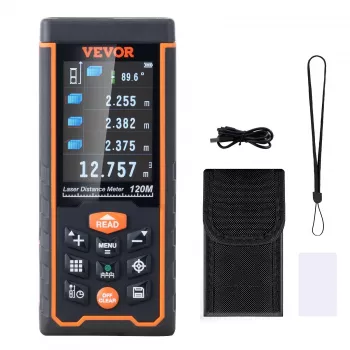
For quick distance checks up to 400ft with ±1/16″ accuracy, the Laser Measure 400ft with ±1/16″ Accuracy is built for common layout and estimating tasks. It’s a practical fit for measuring rooms, long walls, ceiling heights, and outdoor spans where a tape is inconvenient—especially when you’re working alone and want fast confirmation without re-hooking a tape repeatedly.
To support smoother measuring sessions (especially when you need a stable place for notes, plans, or tools), consider a portable work surface like the Portable Folding Camping Table. It can serve as a quick staging spot while you record room-by-room dimensions and reduce back-and-forth trips.
Common Use Cases and Mini Workflows
Flooring estimate
Wall paint planning
Cabinet run planning
Outdoor fence line
FAQ
Is ±1/16″ accuracy enough for trim, cabinets, and built-ins?
It’s typically sufficient for most finish layout and fit checks, especially when you measure from a consistent reference point and confirm critical dimensions with a second reading. For final cuts or tight scribe situations, verifying with a tape or story pole can help eliminate small setup errors.
Why does a laser measure struggle in bright sunlight?
Sunlight can wash out the aiming point and reduce the sensor’s ability to get a clean return, which effectively shortens usable range. A target plate or shaded aiming point improves consistency by giving the beam a clearer surface to reflect from.
How can measurement error be minimized on long distances?
Keep the tool steady, avoid angled shots, use a target for distant or dark surfaces, and take repeat measurements to confirm results. Also verify the reference setting (front/back) so you’re not accidentally adding or subtracting the tool’s length.













Leave a comment